Showing posts with label The Sensory Emporium. Show all posts

Monday, May 12, 2014

Metal Etching


Who knew there were so many things you could do with your Silhouette?  When I first purchased this machine, I didn't have a clue.  Now, just about any project I do, I look to my Cameo for help.

This month's Silhouette Challenge is April Showers Bring MAY Flowers.  I thought pretty deeply about this one. I was going to do a paper flower wreath (which I did and is probably the blog under this one), but I'd seen it before. I was going to do paper flowers in paper terra cotta pots from the SIL store, but I'll be working on those for my son's birthday this month and didn't want to do them already.  So I decided to share my new passion with you all...metal etching!  It is seriously a ton of fun!
Things you'll need:
*Scrap of vinyl
*Metal blanks (copper, nickel silver or brass)
*Jump Rings
*Steel wool (.0000)
*Sharpie Marker
*PCB etchant solution
*Baking soda
*Rubber Gloves and Goggles

First you want to clean your blank with the steel wool. Blanks usually have an oily residue left behind from the cutting process and this will effect the etching.

Next you want to apply your vinyl. I'm showing you two different ways.  The etchant will eat away at the metal that is not covered by a resistant. I will be filling those stencil pieces with black sharpie. So far I have found Sharpie and vinyl to be great resistants. Stayz-on stamp ink works well too but this is a silhouette challenge :) 
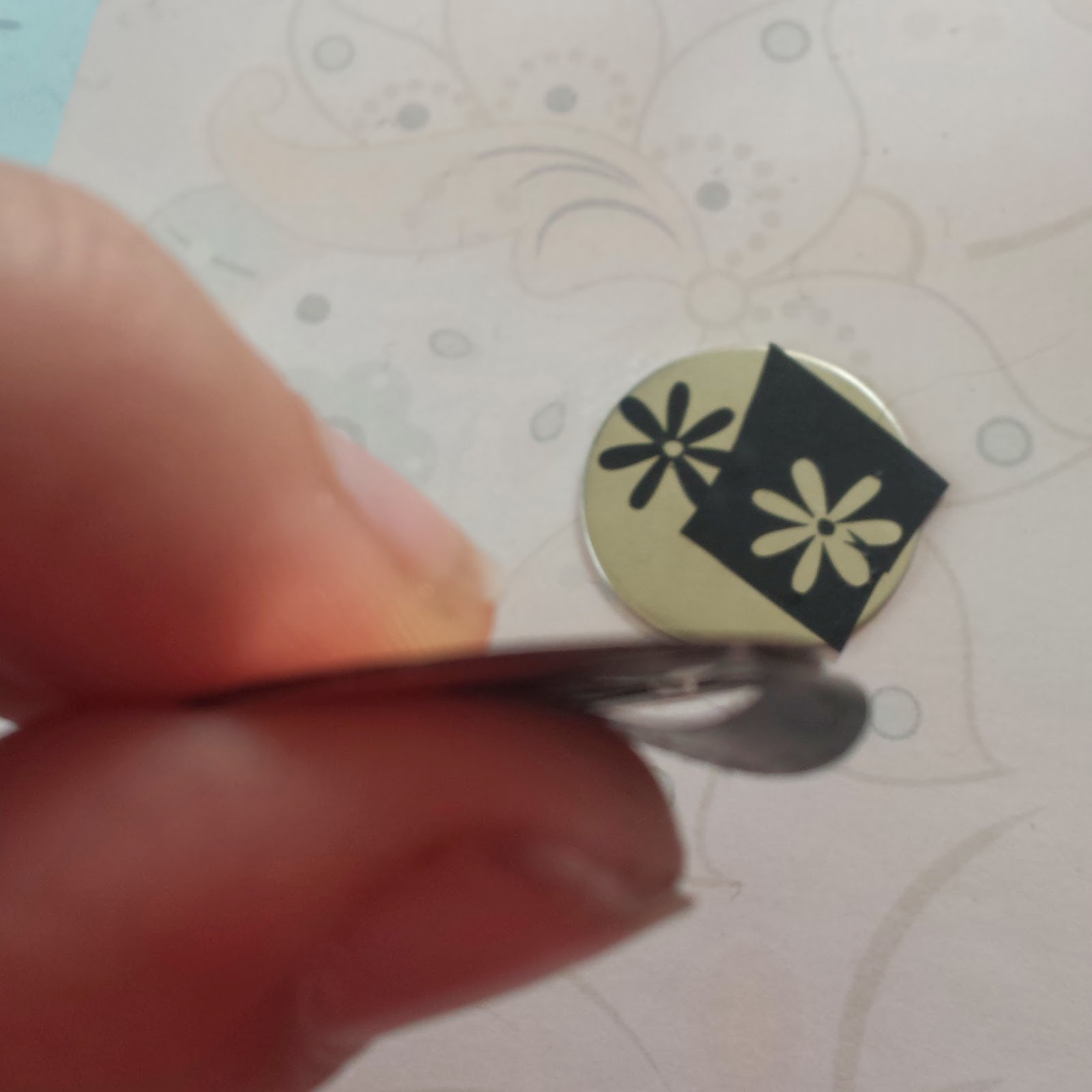
You also want to use Sharpie on the edges of your blank. This is very important. If you skip this step the edges of your finished project with be rough and jagged because the etchant will eat away at it.

So again, anywhere where there is a resistant, the metal will not be etched. I like using Sharpie when I want a hand written look and vinyl for more detailed work.  You can see that vinyl gives you a much cleaner edge. I added little dots around the edge for some extra decoration.

Now for etching. I made myself this little foam boat, but most people just use packaging tape to suspend the blank in the solution. Do not let the blank rest on the bottom of your etching container.

Wrap packaging tape all around your boat and make sure the blank is firmly pressed onto the tape. You don't want it to etch the back side.  If you are just using tape, same thing, make sure they are firmly pressed onto the tape.

Put on your rubber gloves and goggles...safety first! Pour some etching solution into a plastic container.  And float your blanks on top of the solution. Again, do not let them touch the bottom of the container. Let it take a nice etchant bath for about 20 minutes. Wearing gloves, take your boat out of the solution and check the depth of the etch. Here is where I usually prefer sharpie because you can really feel where the etching is.  I take a tooth pick and drag it across the blank to check for depth. With vinyl it's a little harder to do, but still doable. If it isn't etched as deep as you'd like, put it in for another 10 minutes. The older your solution is, the longer it will take.  I've etched about 6 times with this batch of solution and it took this batch of blanks about an hour. If you forget all about it, you will come back to an empty boat. It will eat all the way through the metal.

When it's done etching, transfer it to another container with 1 part baking soda to 10 parts water. I usually use Tablespoons. Let that rest for a while. Go do something while you wait. I usually give it 10 minutes or so. Rinse in warm water.  
 
***Please dispose of solution properly. Do not pour down your drain, it will etch your pipes, plus it isn't good for our water.*** 

They look a little rough when they come out of their baths. Give them another swipe or two with the steel wool to shine them up and erase the sharpie. Remember the edges.

Use a metal hole punch to punch holes in the top.

Add a jump ring and proudly display your new creation on a key chain or chain.  I love these!  I think these will be some key chains for teacher gifts...or myself!
 
To purchase some of these beautiful pendants, please visit my other etsy shop.

Want to Check Out More Silhouette Projects?

My Silhouette Challenge buddies and I are all sharing projects on our blogs today, so peruse the projects below for a wealth of Silhouette inspiration!
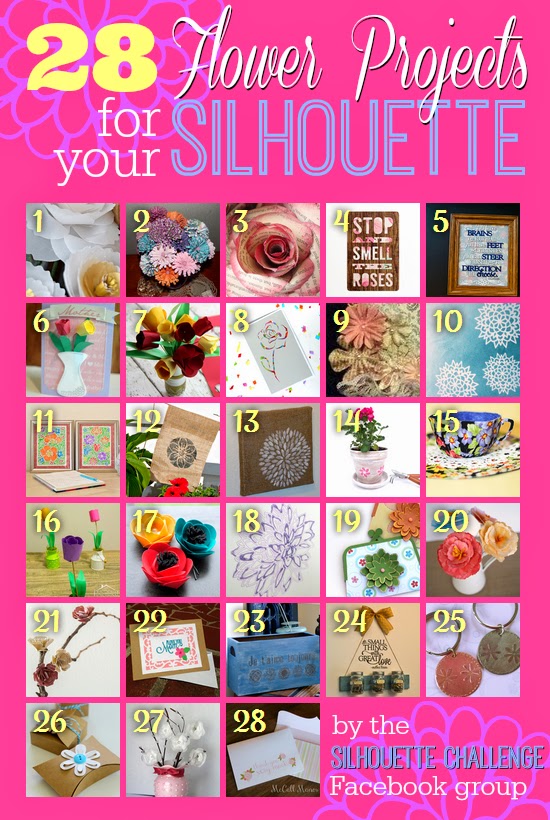


Vellum Flowers


Silhouette Challenge - Shape Challenge - Flowers


Paper Wedding Roses


Tea Party Invites


Dr. Seuss Graduation Gift


Hand Made Floral Cards for Mom


Say it With Flowers - May Silhouette Challenge (Paper Craft)


Confetti Flower Card


Silhouette Challenge! May flowers mixed media art


Wearable Flower Power ~ Silhouette Challenge


Silhouette Sketch Pen Tutorial - Watercolor Flowers


Dingbat Font Flower Garden Flag


Stenciled Burlap Canvas


Distressed White Washed Terra Cotta Pot with Book Page Flowers


Creating Floral Fabric Teacups Using Your Silhouette Machine + Free Cut File!


DIY Paper Flowers: 3D Paper Tulips


DIY: Fabric Flower Hairpins


Silhouette Sketch Pens Peony Prints


Paper Purse Gift Card Holder


3d Watercolor Paper Peony Flowers


DIY Home Decor Paper Blossom Branches


Floral Note Card Set


French Box Upcycle with Graphic Challenge ‪#‎silhouettechallenge‬


DIY Summer Activity Mason Jar Decor with Upcycled Pallet Wood


Metal Etching


flower kraft boxes


Vellum Flower Arrangement


Thank-You Cards {Made on Silhouette}

1. Create & Babble // 2. Kate's Paper Creations // 3. Please Excuse My Craftermath // 4. Tried & True // 5. unOriginal Mom // 6. Mama Sonshine // 7. Adventures in All Things Food & Family // 8. The Experimental Home // 9. The Outlandish Momma // 10. Whats Next Ma // 11. Dream a Little Bigger // 12. Silhouette School // 13. Creative Ramblings // 14. Our Rosey Life // 15. Bringing Creativity 2 Life // 16. Practically Functional // 17. Minted Strawberry // 18. Two Purple Couches // 19. Simply Kelly Designs // 20. Grey Luster Girl // 21. TitiCrafty // 22. My Mom Made That // 23. Architecture of a Mom // 24. My Paper Craze // 25. The Sensory Emporium // 26. Ginger Snap Crafts // 27. Mabey She Made It // 28. McCall Manor //


Monday, December 2, 2013

Addressing Envelopes with your Silhouette Cameo

Are your hands cramping from addressing all those Christmas cards?  Every year we send out 40 cards and I get so tired of writing out every single address.  My hands cramp, I get bored and lets face it, my hand writing isn't always the best; especially when I'm tired.  So this year, I'm letting my cameo do the work and it's easier than you might think. I'm going to show you how and let you in on a little secret!

So first you're going to want to design your envelopes in Silhouette Studio. I size my paper to the size of my envelope. My envelopes for my photo cards this year is about 4x8.  Then design your envelope with your return address and your loved one's address.

Now you can either type each address in individually or you can copy and paste from your computer. If you copy and paste, don't click on the text tool first. Just make sure nothing is selected and right click and paste. Font used is Daddy's Girl

So here is the secret.  I'm going to show you how to sketch these without unloading your mat!
Draw a 4x8 rectangle (or shape of your envelope) and arrange it around your addresses so it looks like what you want to sketch. Turn the cut line off on the rectangle.  Move it all down on your mat.  I have my design sitting on the 2 inch and 5 inch line.  You can see my virtual envelope in purple.  To see where to line it up, click on the page menu (highlighted above) and reveal cutting mat 100% (also highlighted).

Line your envelope up on your mat in the same spot as where it is in Studio.  Like this.  Please excuse my dirty mat, it gets used a lot and this is my paper mat.


I added some snow flakes, and moved my return address over a bit because I was afraid the pen would catch the edge of the envelope, but you get the idea.  Now, don't unload your mat.  Take this envelope off and put your new one on in the same spot.  Cut again with your next address!  How easy and quick is that!

Takes me about 20-30 seconds from start to finish. And, no hand cramps!  I may never write out an address again! 

Tip: Don't use super fancy fonts. I was told that the postal workers don't like that. So use a nice, easy to read font. For a list of fonts that appear to be single lines click here.

So I hope you enjoyed that little tutorial and can get through your Christmas cards in no time.  What's that? You don't have a pen holder yet? Click here to order one.


Wednesday, November 13, 2013

Card Display Garland

My son had a zoo theme for his 2nd birthday...he'll be 5 in May.  One of his decorations was this really cute garland with zoo animals on clothes pins and I hung a picture of him from each of the animals. I believe in reusing, so for the last 2 years, we've been using that garland to hang our yearly cards from.  I always had the intention of updating it...but here it is 2 years later...

And you know what?? Those are still cards from my daughters 1st birthday almost a year ago.  So while looking at that the other day, I decided that either A: I'm bored with hanging cards that way or B: I'm bored with it because I haven't updated it.  I decided that A wasn't quite it, so on to B.  Time to change it up.  I looked everywhere for foam shapes that would be good for all year round...didn't happen. So on to making my own.

For this project, I knew I wanted something that was going to last year round and I wanted to use my cameo to do it.  I didn't really feel like paper piecing, so sketching was my next option. 

Next I had to tear apart the zoo animals and decide what I wanted to put up instead.

I decided birds is kind of a running theme throughout my house, so some cute sketchy birds would be perfect!


Source:http://sweetclipart.com/cute-bird-line-art-17


I used this bird, traced him in Silhouette Studio and then duplicated him on top of himself a couple times to give him a more sketchy look and offset so I had a cut line. For a sketch and cut tutorial, click here.

 
Cute right?  I just love him!


Just for the purpose of this post, my daughter's birthday cards did go back up, but they will be coming back down soon.  Time for Christmas Cards!!!
 

Monday, October 28, 2013

Sketching Large Files

So you've designed the perfect thing to sketch and cut. Lots of colors, lots of things to sketch but when you go to sketch, your program freezes.  Have no fear! I can help you.  All you have to do is separate the different colors to their own file.  So, you'll make a new document for every different color you have, making several smaller, more manageable files. 

I made these labels today for my Christmas packages.  To view how to sketch and cut, view this tutorial.  This video will just show how to simplify larger files so your program won't freeze.


Thursday, October 10, 2013

Cute Postage Labels and Pen Holder Tutorial

Hey everyone! I've had several requests to do a video on how to use my pen holder. So I finally got around to it (read: found a screencast program and got the nerve to do it). I made these really cute labels for my packages. I'm old fashioned and I go to the post office to mail my packages and I thought they needed something to cutsie them up!

These were made using my pen holder and Gelly Roll Gel Pens. So I hope you enjoy my video and now that I know how to do it and have some confidence in it, I hope to bring you more video tutorials.


Saturday, August 31, 2013

Project Inspiration--Pregnancy Journal

Okay, it's been a very long time since I've posted. I just haven't felt inspired lately and it's been same ol' same ol'. Anyway, I created an awesome gift for a friend of mine who just found out she is pregnant. I can't wait to give this to her!

This is the cover. I used my pen holder, gelly roll gel pens and scrapbook paper. I also picked up some embellishments from Michaels to help me out a little. I had just today to complete this project, so not a lot of time to create my own embellishments.

Quick look at all the pages. I made some of the pages, pocket pages so she could stick mementos in there, extra journaling or whatever she wants. I created those by first drawing a box the size I wanted it and then extending it about a quarter inch. Then I draw a line that will be perforated on three edges. Maybe I'll do a tutorial for that sometime, but it's pretty simple.


And I can't figure out why some of these are flipped. Driving me crazy today...so tilt your head or your screen. Ha ha. Have a great day and I hope this post inspired you!

Saturday, July 13, 2013

How to Fill Double Line Fonts

So you want to write with your cameo, but you don't want there to be double lines or the outline of the words, you want them filled in. And you'll be writing something bigger than 18pt (where most thin fonts look single lined. Check out this post.) This process can be time consuming but it is so worth it! So here we go...


Okay, so you're going to start with something like this. If you sketch just like this, it will look just like this. Even if you fill it with color. It will still sketch just like this. So what you want to do is use the internal offset.


This is what the Offset menu looks like.


Click on your words you want to fill. Use the offset menu and select internal offset, .005, apply. Do not click off of your wording. Keep it selected. You'll do this over and over again.


At first it might not look like it's doing anything, but it is. It is repeating the line font over and over again very closely to the previous line so that it creates a fill. Your pen is going to do the same thing, so make sure you have plenty of ink.


Here is what it looks like all filled in. It looks like I just used the fill tool, but I didn't.


When I zoom in, you can see that it is composed of a lots of little lines. This is how it's going to sketch too. This works great with gel pens. If you're using Sharpie Ultra Fine or BIC Markers, I would not do quite the inset. Maybe keep it to .010 or .015. You'll have to play with the settings depending on the medium you're using to write. Doing this will slow the program down quite a bit, but even if it freezes, it will come back shortly. Don't worry.


These are my business cards I just did with the cameo and my pen holder. I used the above method to fill the branch, bird and The Sensory Emporium at top. (I apologize for the blurriness, this is a cell phone picture with shaky hands).

To order my pen holder please visit, www.etsy.com/shop/thesensoryemporium

If you have any questions on this tutorial, please comment below.


Tuesday, May 28, 2013

Dinosaur Party

My son's 4th birthday party was a success! We had so much fun and the fact that I could make all the decorations made me so happy! Here are a few of the decorations I made with my cameo.


Below I will attempt to post a tutorial for the dino food cards. They were such a hit!


Step 1: I start off with 2 2x3 rectangles and the image I want to use.


Step 2: Line up the rectangles and draw a line where they come together. Weld the rectangles together, but not the line you drew. Set this line to cut perforated.


Step 3: Size your image and place it where you want it on the card.


Step 4: Offset your image and make sure it still fits where you want it. Make the offset and the original image a compound path.


Step 5: Duplicate the original line and then use your knife tool to cut along the original line where the image is and cut slits in the bottom portion of your image.


Step 6: Replace the line where it goes. Type out your words and use your favorite method of printing. Either print and cut or sketching. And that's it! You have awesome food cards.

These are available to purchase by custom order. Just message me on etsy for more details.